
HMI and industrial PC
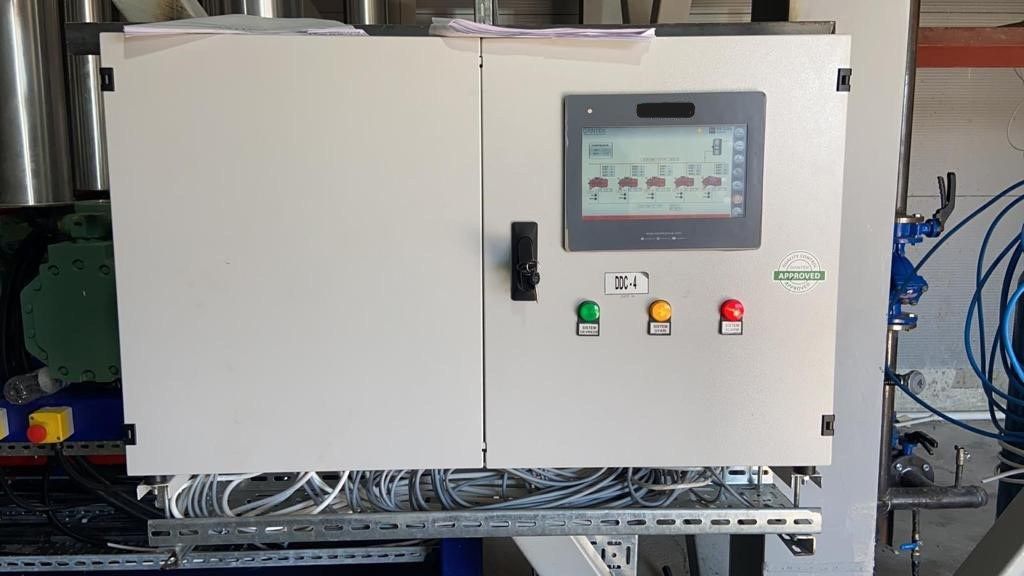
From the touch panel on the cabinet door to the industrial PC in the control room, we design screens that make the operator's job easier.
What we offer
Clean layout
Key values come first, secondary information is one tap away.
Colour that means state
Colour signals state, not decoration, so running, stopped and faulty equipment stand apart at once.
Manual control and parameters
Orderly screens for manual operation, set and differential values, and delay times.
Multilingual interface
Operator screens in Turkish, English and German.
Our approach
A good operator screen lets the night-shift operator spot a problem within seconds. So we keep screens legible rather than decorated: large, aligned values, clear units and obvious alarm states.
Scope
- Touch HMI panels on the cabinet
- Industrial PC operator stations
- Control screens for heat recovery, air handling and pump groups
- Manual control, set point and configuration screens
- Alarm and event screens
When HMI screens are developed together with the PLC software, tag names, alarms and units stay identical on both sides. If several systems need central monitoring, see SCADA systems.
Projects featuring this service
-
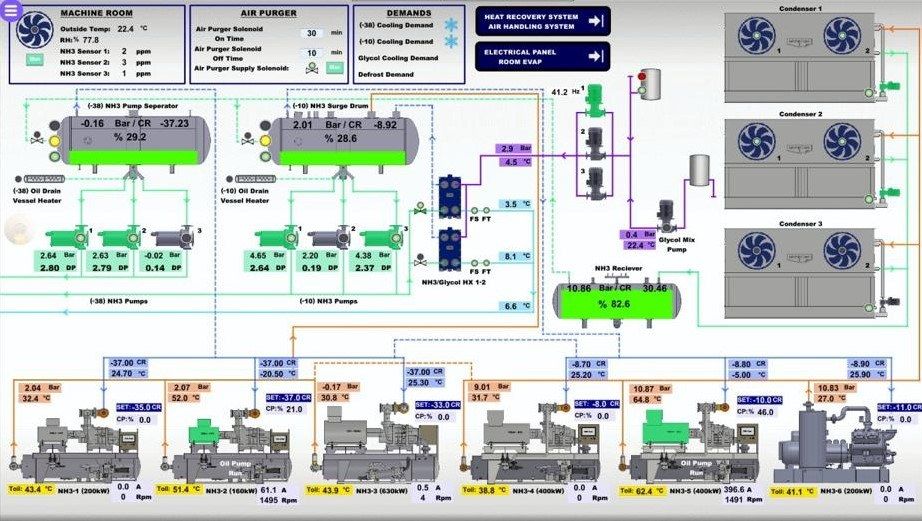
Cold store, NH₃ machine room and heat recovery
SCADA for a six-compressor NH₃ machine room, cold stores with ethylene and humidity monitoring, and a heat recovery system.
View project -
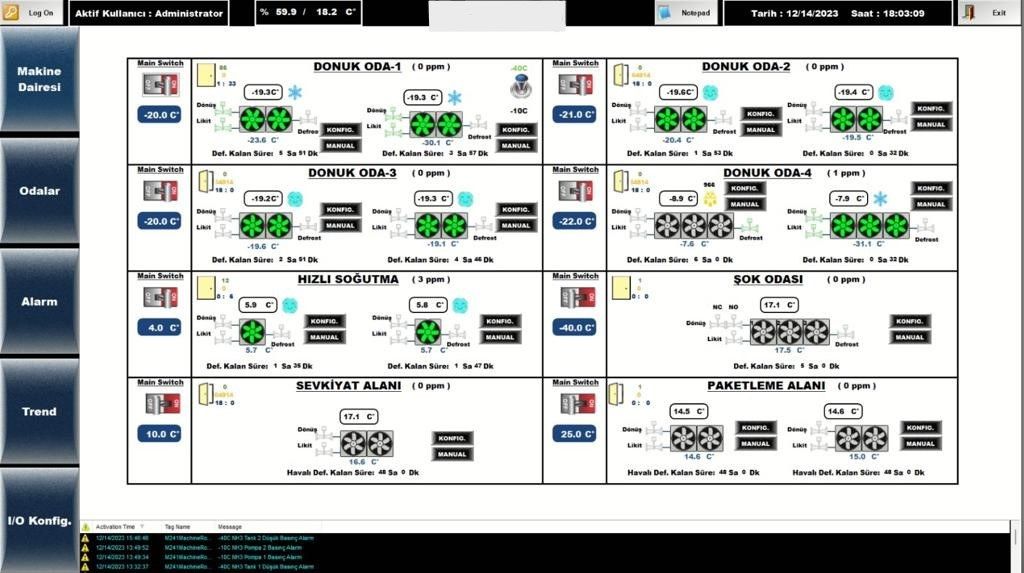
Food plant freezer rooms, IQF and machine room
Turkish-language SCADA for freezer rooms, blast freezing, dispatch and packing areas, -40 °C and -10 °C NH₃ systems and IQF lines.
View project
Frequently asked questions
Can you redesign our existing HMI screens?
Yes. We review the existing PLC software and tags and redesign the screens on top of them.
Do you train the people who will use the screens?
Yes. During commissioning we train operators and the maintenance team on using the screens.
Let us plan your project together.
Tell us briefly what you need and we will start the survey and quotation process.